
Top-Notch Extended Enterprise LMS Software For Superb Training Delivery
Are you looking for a smart eLearning solution to help train your extended enterprise? Interconnection plays a big part in today's market. Most companies have built up an extended network of customers, vendors, suppliers, investors, external partners, and local communities. If this also applies to you, you already know that training this extended enterprise network is hard. However, your company's products, services, and values need to evolve in today's competitive environment. In the years to come, extended enterprise online training is expected to become a common practice. And that stands for all companies that want to reinforce their brand image. After all, it gives a competitive advantage to pioneer organizations that enter this field.
To make your extended enterprise LMS software selection process easier, eLearning Industry took matters in its own hands. In fact, we decided to determine the best LMS software on this topic. The procedure was not simple. Our team of experts had to do a lot of research and testing. Now that we did all the work, you can get a better picture of which top-notch solutions are. Most importantly, you can find the best fit for your organization.
In the following list, we've gathered the top LMS choices for extended enterprise training. For other use cases, you can check out our full LMS directory.
The Best Extended Enterprise LMS Vendors
If your company is listed among the Top Extended Enterprise Learning Management Systems, feel free to add this badge to your website!
Vendors List
| # | Software | Top features |
|---|---|---|
| 1 | AI-Powered Learner Assistant, Non-Logged-In Experience Builder | |
| 2 | AI-Driven Upskilling Campaigns, Collaborative Peer-To-Peer Learning | |
| 3 | Branches, AI Course Translator | |
| 4 | "Expert" Feature, White-Labeled Mobile App | |
| 5 | AI Video Assessments, External Training Automation | |
| 6 | Absorb Amplify, Advanced eCommerce Engine | |
| 7 | Adaptive Learning Paths, LX Tagging | |
| 8 | Training Arcade Integration, Video Practice | |
| 9 | Adaptive Content Authoring, Centralized Asset Library | |
| 10 | Dynamic Audience Groups, Data Separation |









Vendor descriptions
 1
1
Learning Manager is an AI-based personalized learning platform that addresses more than 15 million learners across external use cases such as customer education, seller training, partner education, and gig-worker training.
Learn why Fortune 500 firms prefer to use Learning Manager to train their external audiences.
Check out Adobe Learning Manager reviews in eLearning Industry's directory.
Highlights
- Extended Enterprise Features
- Headless Experience
- Commerce Integration
A Closer Look...
- Extended Enterprise Features
Adobe Learning Manager allows any administrator to add as many external groups/enterprises to their instance with a single click. All features available internally on the LMS platform are also available to external users.
- Headless Experience
Learning Manager can also be used headlessly with AEM Sites or any Content Management System to create bespoke learning academies and experiences for external audiences.
- Commerce Integration
Adobe Learning Manager integrates with Adobe Commerce to enable selling of courses.
Plans & Pricing
The pricing strategy involves Monthly Active User pricing, which is specifically designed for extended enterprise usage and is priced as per the number of actual users rather than estimated.








Registered users
The registered user model lets you assign individual licenses to a fixed number of learners within your account who will have continuous access to courses.
-
A fixed number of learners.
-
Employee reskilling
-
Compliance training
-
Sales training
Monthly active users
The monthly active user model is for organizations whose users do not need continuous access to courses. Rather than assigning licenses to individuals, this model gives users on-demand access.
-
A mix of floating learners.
-
Customer education
-
Partner training
-
Franchisee and store training
-
Ease of Use & Navigation
Multiple users praised the platform's simple and intuitive UI. One user noted the navigation is "straightforward, making it easy to find any course," while another mentioned the updated UI makes the system "smoother and more intuitive for customers" without unnecessary complexity.
-
Customer Support & Service
Reviewers highly rated Adobe's support team. One customer highlighted that the "Help desk support is excellent, fast responses and persistent follow-up until issues are solved," and another mentioned the support teams are always there to help smooth out the learning curve.
-
Customization & Flexibility
Users appreciate the ability to tailor the platform. Reviews cited "powerful customization capabilities, allowing for personalized learning paths and a branded user experience," as well as flexibility in managing different user types and assigning training.
-
Feature Set & Functionality
The breadth of tools and integrations was a major plus. Reviewers loved the seamless integration with Adobe Captivate and Premiere Pro, as well as the ability to use multiple content formats (PDFs, slides, videos, audio, live training) and external course catalogs.
-
User Experience & Engagement
The platform successfully drives learner engagement. One user specifically compared the personalized experience to Netflix, praising the "curated course suggestions, gamification, multilingual support, and LinkedIn badge sharing."
-
Limited Features / Missing Tools
Some users found specific tools lacking for their business needs. For example, one reviewer noted the platform "does not seem to have any ecommerce ability to resell courses," and another mentioned that marking a course complete requires manual clicks rather than being automated.
-
Customization Limitations
Certain areas of the platform feel rigid to users. One review pointed out that "managers on self-registered users can’t be edited, which limits flexibility," while another mentioned that "email templates could offer more editing options."
-
Reporting & Analytics Issues
Data visibility is a pain point for some administrators. Multiple reviews (from different users/dates) specifically stated that "Finding the exact report can be challenging," suggesting the reporting interface could be more intuitive.
-
Complexity & Learning Curve
While usable once set up, the initial phase can be daunting. Reviewers noted "there's a learning curve for new users" and that "the initial setup and configuration can be extremely lengthy."
-
Integration & Technical Challenges
Users experienced a few technical and system-handling glitches. Examples include "migrating third-party content is tedious," retired classes still appearing to learners, and password reset issues occurring when multiple employees share the same name. Switching between sandbox and live environments also requires clunky workarounds, such as using incognito mode.
2
360Learning's AI-powered LMS transforms partners and customers into a high-performing extension of your team. Boost product adoption, protect proprietary IP, automate certifications, and drive measurable ROI at scale.
See how global leaders scale external enablement to drive product adoption and partner revenue. Book your personalized demo today.
Make sure to explore 360Learning reviews in our directory!
Highlights
- Branded Academies
- Protect Proprietary IP
- Automate Global Scale
A Closer Look...
- Branded Academies
Launch white-labeled academies in minutes to deliver personalized journeys. Ensure customers and partners realize product value from day one with customized, branded environments.
- Protect Proprietary IP
Secure sensitive knowledge with granular access and multi-client isolation. Share expert insights within segmented groups to prevent data leaks across your external networks.
- Automate Global Scale
Use AI to manage certifications and sync with Salesforce. Eliminate manual admin and correlate training directly to revenue, proving the clear ROI of your external programs.
Plans & Pricing
Their plans scale as you grow. 360Learning offers secure tools for customer and partner training. Use AI to automate admin and track ROI in Salesforce. Turn your external enablement into a predictable revenue driver without the manual overhead.




Team Plan
Best valueUp to 100 users One platform to manage all learning Transparent pricing—no setup fees Access to best-in-class resources and support
Business/Enterprise
Unlimited users
- Ease of Use & Navigation Users frequently highlight that course creation is straightforward and the platform is easy to learn, even for those without prior experience building eLearning modules
- Feature Set & Functionality Reviewers appreciate content diversity and learning paths, including AI-powered features and collaborative capabilities that enrich training design and delivery.
- Customer Support & Service Several users specifically praise the customer success and support teams, noting responsive help and a positive support experience.
- User Experience & Engagement Many comments point to an engaging learning structure and clear learning organization that supports learners’ motivation and progress.
- Implementation & Onboarding Some reviewers note smooth onboarding experiences and beneficial features like SSO that aid with platform deployment.
- Reporting & Analytics Issues Users cite that statistical reporting and access issues are clunky or need improvement, particularly when generating usable reports.
- Complexity & Learning Curve Several reviewers mention that ergonomics/navigation can be confusing in areas like session creation or role management and that the interface sometimes feels non-intuitive.
- Feature Limitations / Missing Tools Some feedback calls out that certain features (e.g., the new skills feature, advanced authoring options) are basic or underdeveloped compared with expectations.
- Performance & Usability Quirks A few users mention navigation frustrations (e.g., filters resetting, difficult session creation) and general usability pain points.
- Cost & Licensing Issues Price and add-ons come up as pain points in some reviews, with users wishing for more flexibility in billing or fewer paid connectors.
3
TalentLMS helps organizations deliver consistent, scalable training across partners, customers, and teams, growing adoption, performance, and engagement at every touchpoint. Trusted by 70K+ teams to scale their training.
Build a connected learning ecosystem that scales with your business. Try TalentLMS for free today.
Visit eLearning Industry's directory for recent TalentLMS reviews.
Highlights
- Structured Multi-Portal Training
- Guided Learning Paths
- Built-In AI Features
A Closer Look...
- Structured Multi-Portal Training
Use Branches to segment partners, customers, and teams into dedicated portals, while maintaining centralized control and visibility across your entire enterprise.
- Guided Learning Paths
Create role-based Learning Paths that guide learners through the right content in the right order, helping each audience stay aligned with the rest of the organization.
- Built-In AI Features
Speed up course creation with the AI course creator and help learners retain knowledge with an on-demand AI Coach. Reduce the admin workload so that training can fit learners' needs.
Plans & Pricing
Start with a free account and scale as your extended enterprise grows. Flexible pricing lets you add users and features as needed, so you only pay for what you actually use.









Core
-
Up to 100 users
-
Unlimited Courses Unlimited
-
Email Support
-
Custom homepage
-
Single Sign-on Support
-
Custom Domain + SSL
-
Consultation Call TalentCraft
Grow
-
Up to 500 active users
-
Unlimited Courses
-
Unlimited Email Support
-
Custom homepage
-
Single Sign-on Support
-
Custom Domain + SSL 3 branches
-
Onboarding
-
Custom Reports
-
TalentCraft Premium
Pro
Best value-
Up to 1000 active users
-
15 branches
-
Unlimited Courses
-
Priority email support
-
Live Chat Support
-
Custom homepage
-
Custom Reports
-
Single Sign-on Support
-
Custom Domain + SSL
-
Onboarding premium
-
Customer Success Manager
-
Automations
-
TalentCraft Premium
-
TalentLMS Skills
Enterprise
>1000 active users
- Ease of Use & Navigation Reviewers consistently highlight that TalentLMS is intuitive, with a clean interface that admins and learners adopt quickly. Setup and daily use are straightforward, even for non-technical users.
- Implementation & Onboarding Many reviewers say that launching the platform and creating courses is fast and simple, enabling teams to go live quickly without lengthy configuration.
- Feature Set & Functionality Features like progress tracking, gamification (quizzes, badges), branches for audience segmentation, and AI tools (e.g., TalentCraft) are repeatedly mentioned as valuable for engaging learning.
- Value for Money / Pricing & ROI Multiple reviewers note that TalentLMS offers a strong balance of capabilities for its price, making it a cost-effective choice for growing organizations.
- Customer Support & Service Support responsiveness and helpfulness come up positively, with several users saying assistance is timely and useful when issues arise.
- Reporting & Analytics Issues Several users want more advanced or customizable reporting options; while basic reports work well, deeper analytics can be challenging to produce.
- Complexity & Learning Curve (New Interface) Some reviewers mention that recent interface changes can introduce a learning curve—especially for long-time users accustomed to the old UI.
- Performance & Minor Technical Quirks A few comments point to occasional minor system lag or less intuitive search functionality, though these don’t significantly impede workflows for most users.
- Customization Limitations (UI/AI Tools) There are mentions that AI features have limitations (e.g., restricted formatting options) and that broader interface customization could be improved.
- Support Access Options There are mentions that AI features have limitations (e.g., restricted formatting options) and that broader interface customization could be improved.
4
iSpring Solutions is a global leader in corporate training technology. For 25 years, it has helped enterprises around the globe scale knowledge, evaluate teams, and succeed through quality talent development.
Find out more about iSpring LMS, its core capabilities, client testimonials, and decide whether it fits your enterprise needs.
Care to see what other users have to say? Explore iSpring Learn reviews in our directory.
Highlights
- Full Control Over Learning At Scale
- Compliance Without Added Operational Overhead
- Tie Learning To Real Work
A Closer Look...
- Full Control Over Learning At Scale
Train employees, partners, and contractors in a secure, branded system with flexible user groups and role-based access, backed by enterprise-grade client support.
- Compliance Without Added Operational Overhead
Run mandatory training with certification tracking, deadlines, and automated reminders to reduce compliance risk and pass audits with confidence.
- Tie Learning To Real Work
Make L&D initiatives measurable with on-the-job training, 360° reviews, individual development plans, and advanced analytics connected to your core HR and business tools.
Plans & Pricing
Two plans are available: Business and Enterprise. Pricing depends on the number of learners, starting at $3.58 per user per month. Plans are billed annually, with a free 30-day trial available.
Business
Best value100 Users 300 Users 500 Users All plans include iSpring LMS core features: Training management Content management Analytics 360° feedback Corporate portal On the job training API Support
Enterprise
Strong performance for up to 150,000 users On-premise installation available Dedicated premium support SSO and unlimited APIs Out-of-the-box integrations
- Ease of Use & Navigation The platform is highly praised for its friendly interface. Reviewers noted it has an "intuitive interface," "friendly user and administrator interfaces," and that "course creation is intuitive, drag and drop makes it easy to organize and edit."
- Customer Support & Service Support is a standout feature for many users, with one noting, "the friendly and responsive Tech Support makes it a wonderful tool." Others mentioned that support is "quick and consistent" and praised specific CSM team members for being supportive even outside business hours.
- Implementation & Onboarding Unlike systems that take months to deploy, users found iSpring exceptionally fast to roll out. Reviewers highlighted that it is "easy to set up & deploy," allowing teams to be "up and running in a matter of hours (not weeks or months)."
- Feature Set & Functionality Users valued the robust authoring capabilities and content management. Reviewers loved the "seamless integration with content creation tools" (like PowerPoint and iSpring Suite) and the ability to easily build learning paths, quizzes, and track user progress.
- Value for Money / Pricing & ROI Reviewers felt they received excellent returns on their investment, stating, "You get a lot of value for your buck!" One owner noted that the system delivered everything they needed to look professional with zero prior course-delivery experience.
- Complexity & Learning Curve Some users faced initial hurdles with documentation and setup. One administrator found that "the help docs are a little difficult for me to understand," while another noted that the "initial setup, especially for teams and groups, was tricky without guidance."
- Integration & Technical Challenges Users noted friction when bridging different tools. Reviewers pointed out a lack of "seamless integration across Suite tools—like sending a course from Cloud to Learn," issues with an API feed to connect e-commerce sites, and technical hurdles like "Mac users face issues with Windows-only downloads."
- Reporting & Analytics Issues Reporting functionality left some administrators wanting more depth. Criticisms included that "individual training history reports could be more streamlined and customizable" and that "reports lack department filtering."
- Customization Limitations Several users ran into rigidity when tailoring the system, stating they "lack the ability to customise things to suit our own needs or operation." Specific limitations highlighted include an uncustomizable org chart and a desire for expanded branding and UI design options.
- Limited Features / Missing Tools Reviewers called out specific missing capabilities, such as the lack of a "built-in form signing feature" (requiring third-party tools like DocuSign) and "gamification features [that] didn’t fully meet our expectations." Others noted the platform has a heavy corporate focus, meaning certain features relevant to academic institutions are missing.
5
Litmos is an all-in-one learning platform designed for training customers, partners, and external audiences, featuring a flexible LMS, customizable branding, training content, and eCommerce tools for monetizing training.
Rev up revenue and lock in loyalty with extended enterprise training by empowering customers, partners, and stakeholders with the knowledge they need. Talk to an expert.
Explore Litmos LMS reviews.
Highlights
- Keep Customers Coming Back
- Boost Partner Performance
- Empower Your Community
A Closer Look...
- Keep Customers Coming Back
Lock in customer loyalty with onboarding and academies that help customers thrive. With Litmos' intuitive, AI-enabled LMS, admins can monitor training results with built-in reporting and automation.
- Boost Partner Performance
Rev up partner revenue with efficient onboarding and consistent enablement delivered in the flow of work. Choose from 40+ integrations to systems, like HRIS, CRM, and more, to streamline training.
- Empower Your Community
Enable and support members and volunteers with engaging training content. Leverage Litmos' powerful AI authoring tool, upload purchased content, or leverage Litmos' SME-created courses.
Plans & Pricing
With 3 three learning solution packages, Litmos offers everything needed for extended enterprise training, from advanced eCommerce features, to customizable branding, robust LMS support, and Instructor-Led Training capabilities.


Foundation
Streamline how you deliver learning with an all-in-one learning solution designed for small companies or departments who need LMS capabilities for up to 250 learners. Award winning platform, including: SCORM and xAPI support White-labeled, customizable design Live, ILT, vILT training Learning paths Custom roles & permissions Teams/Groups Assessments & surveys Localization External training eCommerce Mobile Email SSO Reporting & Dashboards
Platinum AI
Empowering high-growth, mid-market and enterprise companies with large-scale learning and AI initiatives, Platinum AI offers enterprise controls, as well as deep learner engagement and analytics. All features in Foundation, plus: AI Assistant AI Playlist AI Content Authoring AI assessments 360-degree immersive video Multiple branded experiences Communication: SMS notification, Email, SMS LRS Gamification Discussion forums Competencies/skills Connectors, APIs, LITs and webhooks *Platinum is available with or without AI
- Ease of Use & Navigation Reviewers overwhelmingly praise the platform's accessibility for all user tiers. They noted it is "very user-friendly for both administrators and end users" and highlighted its "clean, intuitive interface [that] simplifies navigation and course management."
- Customer Support & Service The Litmos team receives high marks for being "responsive, knowledgeable, and always professional." Users specifically called out the "managed admin services team" for being flexible and taking the time to educate in-house teams.
- Implementation & Onboarding Transitioning to the software is described as efficient and pain-free. One administrator noted that "from setup to implementation everything ran smoothly," including migrating "tons of learner data from our previous LMS."
- Feature Set & Functionality Reviewers valued the platform's robust feature set, highlighting "integrations with other systems via APIs enabling us to automate a large number of our processes," flexible assessment tools, and automated reminders.
- User Experience & Engagement The built-in engagement tools are highly effective at driving completion rates. Administrators reported that the platform's "gamification elements have significantly increased learner engagement and accountability" across their teams.
- Reporting & Analytics Issues Data extraction and analysis present major hurdles. Multiple users noted that the reporting functionality challenges their organization, with one explaining, "We typically export Litmos data and use another platform with stronger reporting capabilities."
- Customization Limitations Making large-scale adjustments to permissions or content can feel rigid. Reviewers complained that "custom permissions are inflexible," advanced customization requires complex support, and updating certificate templates at scale requires tedious manual edits to each individual course.
- Complexity & Learning Curve While basic usage is simple, deeper administration requires advanced knowledge. One user stated it "felt like you need to know coding to be able to fully use the software to its full potential," while another noted that admin tasks become "cumbersome at scale" for large teams.
- Performance or Reliability Issues Technical glitches occasionally disrupt the experience. Reviewers cited experiencing "frequent lag and login issues," a lack of precision in interactive screen click tests, and formatting bugs where "certain design features don't render pictures well."
- Cost & Add-ons Long-term budget scalability is an issue for expanding organizations. Reviewers noted that "pricing escalates quickly, especially with the course library," and that advanced customization features often "incur extra costs."
6
Absorb is a strategic learning system that helps you redefine learning and scale your business by offering mandatory training, performance enablement and product training to your customers, partners and members.
Do you want to prioritize learning and create advocates to build your brand and drive growth?
Learn more about Absorb.
For more on the UX, explore Absorb LMS reviews in our directory.
Highlights
- Scale With A Single System
- Fully Customized Experience
- Flexible Access
A Closer Look...
- Scale With A Single System
Support multiple programs targeted at different external learner segments via one centralized platform that meets your unique learning requirements and business outcomes.
- Fully Customized Experience
Deliver effective training that's tailored to external learner needs, with relevant content in engaging formats like interactive quizzes and video-based content.
- Flexible Access
Meet learners where they are, when it suits their schedule. Let them engage with their personalized learning paths at their own pace. With access to training anytime, across devices.
Plans & Pricing
Absorb's pricing approach is tailored to help you choose the model that best fits your needs. Support all learners, no matter their goals or desired outcomes, with the most comprehensive and scalable extended learning solution on the market.

- Ease of Use & Navigation Multiple reviewers explicitly note that Absorb LMS is easy to use for both administrators and learners, with a clear and intuitive interface that minimizes the need for extensive training.
- Customer Support & Service Users frequently praise the responsiveness and quality of support, including Client Success Managers and online support resources that help resolve issues quickly.
- Feature Set & Functionality Reviews highlight useful features such as automated enrollments, integrated content creation tools (e.g., Absorb Create), and customization options that support diverse learning workflows.
- Performance & Reliability Many users report that the platform is stable, reliable, and supports smooth everyday use for training and learning delivery
- Implementation & Onboarding Several reviewers mention that setting up the system is straightforward, with good help during implementation and relatively quick time to launch.
- Limited Features / Missing Tools Some users feel that certain features are missing or could be improved, such as extended options for enrollment workflows or more robust course planning functions.
- Reporting & Analytics Issues A segment of reviewers want more powerful or flexible reporting—some noted limitations in exporting detailed data and generating complex report structures.
- Customization Limitations Although customization is generally good, a few users said that deeper customization (especially custom coding or advanced design control) is lacking compared with more technical platforms.
- Complexity & Learning Curve (Advanced Use) Some reviews suggest that the broader feature set and configuration options can feel overwhelming at first before users become fully confident.
- Integration or Functional Quirks A minority of reviewers note specific functional limitations (e.g., hierarchical management issues, session enrollment steps, or integration gaps) that cause occasional friction in workflow execution.
7
Smarter learning. Better performance. Learning Pool's innovative AI learning platforms and skills solutions combine integrated technology and adaptive content to produce actionable insight into every learner's performance. The platform is one of the most feature-rich open-source solutions on the market, fully hosted and supported to deliver outstanding learning, easy compliance, and clear reporting.
Optimize employee performance with Learning Pool's data‑driven workplace learning technologies.
Explore Learning Pool Platform reviews in our niche directory.
Highlights
- Effective Training To Future-Proof Your Business
- Change How Your Company Performs
- Maximize The Potential Of Your People
A Closer Look...
- Effective Training To Future-Proof Your Business
Do you want your team to be ready to take on the challenges of today and tomorrow? This platform helps you align learning to individual needs and business objectives. Time to start making your workplace learning experiences smarter!
- Change How Your Company Performs
With a learning platform like this, you can deliver personalized experiences at scale. From applying insights into who a learner is and what they know to identifying what they need to learn in real time, they've got you covered. Leverage their AI-powered skills builder for greater impact. Or dive into smart data visualizations and predictive AI in the analytics.
- Maximize The Potential Of Your People
An excellent tool for understanding the skills of your people. This platform empowers you to deliver workplace learning at the point of need. Plus, you'll create opportunities for future growth and development within your organization. Automation and AI are your keys to success. Talk about building upward mobility!
Plans & Pricing
Their award-winning platform has technical flexibility, with multiple language support for your global reach. Also, you get a customizable look and feel. Tailored learning plans and programs cover everything from initial onboarding to leadership training. You'll find blended learning programs all readily accessible across platforms, devices, and locations. Visit their website to explore pricing options.

-
Ease of Use & Navigation
Reviewers consistently highlighted how straightforward the platform is, noting that "the interface is intuitive for admins and learners." Multiple users pointed out that the clear, sensible layout allows new users to get to grips with it quickly without needing extensive instructions.
-
Customer Support & Service
The support team is highly regarded as "knowledgeable, patient, and eager to help." Users noted that customer service response rates are "usually quick to respond," making it easy to resolve technical issues or get guidance when stuck.
-
Customization & Flexibility
The software offers strong tailoring options, allowing organisations to "adjust the system to our needs thanks to customization, flexibility and all options like dashboards." Users enjoy branding the content so it feels like a native part of their business.
-
Feature Set & Functionality
Reviewers valued tools like the "bulk emailing facility" which allows communications to be sent to thousands of users in minutes. They also appreciated AI-driven skills tracking, automated path recommendations, and the ability to add diverse content types (videos, text, PDFs).
-
User Experience & Engagement
The platform succeeds in creating visually appealing, interactive learning environments. Reviewers called out its "gamification available within the system" and interactive ways for learners to engage, resulting in excellent industry user sentiment scores.
-
Reporting & Analytics Issues
Data extraction suffers from latency and disjointed workflows. Users mentioned that "reports take a moment to load when datasets are large," and that some tracking reports do not interact, forcing admins to open three separate reports just to see course compliance, non-compliance, and future bookings.
-
Customization Limitations
Admin limitations exist behind the scenes, such as a "lack of flexibility to change the main home page layout without additional cost." Others disliked rigid settings where a course rule applies to all users (e.g., making it mandatory for everyone) without an option to let interested people browse without demanding completion.
-
Performance or Reliability Issues
Reviewers cited communication sync bugs between systems, stating, "We have, from time to time, a lot of issues with the LMS and the LRS; they do not communicate correctly sometimes, and learner completions are not updated."
-
Complexity & Learning Curve
Deeper backend systems can feel unapproachable. Reviewers noted that "the back end at times is a little complex" and that the built-in "Adapt" tool used to create courses is "quite clunky and requires a lot of training beforehand." Additionally, learning materials inside their academy can be hard to search through, and help guides can be vague.
-
Limited Features / Missing Tools
Long-term users feel the system is showing its age, with reviews stating the "look and feel of the LMS is now pretty old" or "feels a touch dated in places." Growing companies noted that the basic LMS features no longer meet their evolving business requirements, prompting them to look into migrating to an LXP model instead.
8
ELB Learning offers a wide range of products and services designed to track and deliver training, including their LMS, Rockstar Learning Platform. These solutions help organizations to train, reskill, and upskill employees.
Request a free account or sign up for a demo by visiting their website to check it out.
If you want to see what other users think, visit our directory to read Rockstar Learning Platform reviews.
Highlight
- Multilingual, Localized Platform
- Peer-Based, Social Learning
- Easy Management And Tracking
A Closer Look...
- Multilingual, Localized Platform
Using AI translations your content can directly be translated in 65+ languages with built-in automatic translation to accommodate extended enterprises from across the globe.
- Peer-Based, Social Learning
Incorporate user-generated content through social channels of courses created by SMEs that can be shared with individuals or groups, and chat with fellow employees during trainings.
- Easy Management And Tracking
Distribute content seamlessly across desktops, tablets, and mobiles. Automate enrollment and track employee progress through each module.
Plans & Pricing
The Rockstar Learning Platform adapts to organizations of any size, catering to large enterprises with offices worldwide. Pricing is tailored to learner and admin numbers, with options for upgrades, including authoring tools, courseware, and data migration.
9
dominKnow | ONE supports extended enterprise learning by powering personalized content for customers and partners. Organizations manage one content source to deliver tailored experiences across regions, audiences, and releases.
Explore how single-source content helps you personalize extended enterprise learning and scale updates with confidence.
Care to learn more about what other users think? Go through the dominKnow | ONE reviews in our directory.
Highlights
- Single-Source Personalization At Scale
- Easy Updates For Evolving Products And Practices
- Continuous Enablement Across Audiences
A Closer Look...
- Single-Source Personalization At Scale
Create learning once and tailor content, branding, language, and visibility for customers, partners, and regions from one centralized project.
- Easy Updates For Evolving Products And Practices
Quickly update software training, simulations, and business content without rework, then reflect changes everywhere instantly.
- Continuous Enablement Across Audiences
Deliver ongoing customer and partner learning through multiple launch points, from company sites to partner portals, while keeping content current across releases.
Plans & Pricing
dominKnow | ONE uses author-based licensing, not per-learner fees, making it ideal for extended enterprises. Organizations scale customer and partner learning without cost increases, while managing one content source for all audiences.
10
Totara supports extended enterprise learning by enabling organizations to deliver role-based training, track compliance, and assess skills for partners, customers, and external teams within a configurable learning environment.
Discover how Totara supports training beyond the workforce in real environments. Visit Totara to see what this could look like for you.
If you want to learn more about the platform itself, make sure to read Totara reviews in our directory.
Highlights
- Flexible Delivery
- Central Oversight
- Shared Visibility
A Closer Look...
- Flexible Delivery
Learning that combines internal and third-party content in one platform, supporting training across external learning environments. This approach is used by Totara customer KLM.
- Central Oversight
Their platform supports governance, approvals, and consistency across distributed training programs while allowing flexibility in how learning is delivered; examples include the NHS.
- Shared Visibility
Dashboards show progress and certification status across large intakes. This capability supports organizations like Transavia during seasonal onboarding and compliance training.
Plans & Pricing
Totara is ideal for extended enterprise because it flexibly supports multiple audiences (employees, partners, and customers) on one platform, with tailored learning, branding, reporting, and scalable pricing to grow with your ecosystem.
-
Customization & Flexibility
As an open-source platform, reviewers highly valued its extensive tailorability, stating it can be customized "without the need for consultants." Users successfully deployed custom themes, co-branded content for clients, and praised its absolute flexibility to support "both simple and very complex scenarios."
-
Ease of Use & Navigation
Reviewers highlighted the platform's "clean interface" and "intuitive design," which makes it "very easy for non-computer-minded students" to use. Others noted it was "easy to learn, minimizing disruption in the workplace," while offering a well-executed user experience and quick load times.
-
Feature Set & Functionality
The core capabilities and administrative automations are highly effective. Reviewers highlighted the excellent report-building tool where "you don't need to be a database expert to generate reports," as well as automated functions like "Audiences," which "reduced our administrator job load significantly."
-
Customer Support & Service
Users feel well-supported by both the vendor and peers. Reviews highlighted "amazing supplier support running alongside an online forum support and upgrade request forum," complemented by a "massive community of other administrators" available for sharing ideas and troubleshooting.
-
Value for Money / Pricing & ROI
The software is recognized as an economical investment for enterprise needs. Reviewers described it as a "highly cost-effective solution" that provides the necessary tracking and reporting functions required for completing "ROI evaluation."
-
Complexity & Learning Curve
The platform's vast capabilities create a steep initial barrier. Reviewers noted that the "initial setup is complex" and "can be quite demanding," requiring significant time, expert planning, and technical expertise to fully optimize. The sheer volume of endless features can easily become "overwhelming for new users and mainly admins."
-
Reporting & Analytics Issues
Despite being powerful, the reporting infrastructure can be challenging to manage. Reviewers stated that the reporting tools "can get complex to configure," and administrative screens hit limitations where a "course completion report can look messy if there are a large number of components."
-
Limited Features / Missing Tools
Reviewers called out specific gaps in the platform's core offering. A major complaint was the total absence of a native mobile application ("no App to support the platform"), alongside administrative limitations like having "no way to clone enrolment methods, or pull activities from multiple courses into a single course in bulk."
-
Customization Limitations
Certain native structures lack the agility required for specific industry compliance. One administrator flagged a "terrible native competency framework" because it "doesn't allow for repeated completion via certification," while another noted a "lack of ability in adding a language package" since not all European languages are covered.
-
Cost & Add-ons
Long-term upkeep can become financially burdensome depending on the deployment model. A reviewer explicitly warned that "once customizations are made to the core, it's expensive to have Kineo continue to host and maintain it."
Discover The Ideal Extended Enterprise LMS Solution For Your Needs
What Were The Criteria That Determined Which Companies Made The List?
Each vendor's eligibility and relevant published content (articles, eBooks, webinars, and podcasts) were reviewed, and the platforms were ranked based on the following criteria:
- Customer support
- Customer experience
- Software features
- Software innovation
- Customer reviews
- Economic growth potential
- Company's customer retention
- Employee turnover
- Company's social responsibility
After checking who made our top LMS list, make sure to delve into our insights on which steps you need to take to find your ideal Extended Enterprise LMS solution.
Where You Need To Focus Before Choosing An Enterprise LMS
Make sure to check the compatibility between your extended enterprise LMS and the online training resources you already own. There are several extended enterprise LMS options that support certain file formats. If you do good research, you will be able to integrate existing data easily. Think carefully about which pricing plan would work best for your SMB or startup. You might choose an LMS vendor that charges by the user. Or you might opt for a flat fee to cover your entire team. Request cost breakdowns, and ask for extra information. It will help to see if there might be any extra fees for upgrades later on.
Test-driving the top 3 to 6 LMS vendors that meet your needs is important to make the right choice. So, it is imperative that you find the time to meet up with a vendor's sales team for an LMS demo or even start your LMS free trial. Without further ado, let's present you with the 10 Best Extended Enterprise LMS Vendors!
Next Steps After Reading Our Top Extended Enterprise LMS List
Want a quick way to qualify LMS vendors in order to find the ones that best match your needs? Follow 5 easy steps to get free LMS consulting from the Top 5 LMS Vendors that qualify for your business case.
Want to learn more about the possibilities of an extended enterprise LMS? Download our eBook External Training LMS Selection Guide. You will discover everything you need to know about how to launch a successful external partner online training program. We'll also share tips on how to find the perfect extended enterprise LMS for your organization; regardless of your size or online training budget. Plus, you'll get insider secrets to choosing the right pricing model and deployment options. Keep reading to find out how to maximize the full potential of an extended enterprise LMS.
Find Your Ideal LMS Fast And Easy
Benefits Of Extended Enterprise LMS Software
An extended enterprise might include your customers, suppliers, business partners, salesforce or freelancers in various fields. An LMS focused on such organizations can surely assist your business in several ways; including all these branches. When researching an extended enterprise, you might stumble upon some misconceptions. For example, some eLearning professionals consider it costly or even impersonal.
However, this is not the case when you opt for external partner success. If you want to be on top of the competition, as a company, you need to reach out. And, of course, educate your extended network efficiently. Your business can use an LMS to deliver business objectives. For example, you can design online certification programs and provide support resources. Also, you can use analytics to track and evaluate your training goals. As a result, you can improve customer service, or even reduce compliance risks.
When it comes to customer-centric organizations, extended enterprise LMS software is the future. More and more businesses choose to dedicate a great part of their training resources to educate their customers.
Extended Enterprise LMS Software Is Ideal If You Need Customization
Any business looking to create customized learning experiences across its workforce should opt for extended enterprise LMS software. As a corporation, you need to provide engaging learning experiences to customers, partners, and all your channel networks. The same goes for your organization's supply and distribution network.
Choosing an extended enterprise LMS will solve several issues that your L&D team faces when trying to create customizable training courses. Who wouldn't want to deliver an engaging compliance training that has a positive effect on your whole value chain? An extended enterprise LMS is your go-to tool. Especially if you need to obtain consistent compliance reporting. No matter where the training is taking place. You see, an LMS for extended enterprises helps distribute training courses to participants all over the world. And, it takes into consideration the need for localization.
Customization is key to the design and implementation of the right content for each and every department of your well-structured business. An extended enterprise LMS software will make it easier to deliver quality training across all channels of your extended network. In addition, such a tool will assist you not only in tracking compliance but also in checking that those operating procedures run smoothly.
That's exactly why we compiled this list of the Best Extended Enterprise Learning Management Systems. After reading this, you can find out which one best matches your needs. Even if you need extreme customization, there are many solutions. Ready to increase the potential of your extended enterprise network?
How Extended Enterprise LMS Software Improves Customer Experience
Using the right LMS for your business network will make things even easier when it comes to Customer Experience. By choosing the ideal LMS solution for your business, you can reach your entire network. Using a tailored online training that aligns with your goals will also help to show your brand value. You can create a better Customer Experience by giving customers the chance to learn through your organization.
Extended enterprise LMS software can assist you in creating a better experience by offering great service, in addition to establishing a clear brand connection. In this way, you'll manage to create a positive outcome, where customers will have the opportunity to share their views within their networks. In case you have a complex product that demands intensive training, you can use an extended enterprise LMS to create your customer training. By taking such a step, you can not only save money but also improve the Customer Experience.
An LMS Ideal For Product Knowledge And Customer Training
Getting deeper into product knowledge will help customers digest the appropriate information. Creating a customer training experience, on a personal level, will keep your consumers engaged. Apart from improving your product usability, you also improve your customer service. This will certainly increase brand loyalty as well.
Don't forget that by providing customer training with an LMS, you are offering a better ROI on your products. By choosing an extended enterprise LMS software, you can deliver training anytime, anywhere. Last but not least, this approach empowers consumers. It might also result in the creation of an active online support community. Increased customer loyalty is the key to getting better feedback. More importantly, this will help keep your customers happy.
Retaining Top Talent In Your Extended Network
All is well when creating training programs for your in-house staff; but, what happens to your extended network superstars? Obviously, employees who work in your main headquarters can get all the training resources they need. Now you need to do something about your extended enterprise assets as well.
In order to retain and help your external workforce to advance, you need to assist them in getting the same benefits. Whether it is a remote sales team or franchise, an extended enterprise LMS can help you retain top external talent. Extended enterprise LMS software might be the solution you are looking for. Especially if your organization needs to train multiple audiences under one Learning Management System. What's great about extended enterprise systems is the fact that users can create profiles within defined portals. This makes it easier for employees to take any courses they have selected.
Creating Unique Learner Portals
Most LMSs use a setup based on hierarchy regarding their portals. You can create sub-portals from your parent portal, according to your employee training plan. Such a setup is also helpful when delegating the management of each sub-portal. This makes it easier to move from one level to the other.
The way you organize and design your portals is up to you. You could use a top-level portal to train your in-house employees. Anything that has to do with compliance training, employee onboarding, etc. can be included here. Then, you can use a sub-portal to train learners who are part of your extended enterprise.
Partner training can be handled perfectly with extended enterprise LMS software. From contractors to resellers, dealers or any other type of partner, you can use such a tool to effectively train each person. There is no better way to strengthen and grow your business than by training your extended workforce.
SMBs And Startups Can Benefit From Extended Enterprise LMS Software
An extended enterprise LMS might be the ideal tool to structure your online training even if you don't own a large organization. Such a solution will help you share online training resources with your external sales teams, according to requirements. There are certain criteria to help you choose the ideal extended enterprise LMS for your small- to medium-sized organization.
The two basic factors you need to pay attention to are:
- Finding an extended enterprise LMS that meets your price range while managing to deliver desired results
- Figuring out ways to measure the performance of an extended enterprise LMS software in the most accurate way
Obviously, you'll need to spend some quality time researching LMS vendors. The key is to determine which LMS features will align with your training analysis. You'll also want to unravel which pain points you can solve by making the right LMS decision. In order to get the right extended enterprise LMS fit for your SMB or startup, you need to do your homework. You have to streamline the overall process in order to make your decision in the least time-consuming way possible.
First of all, you have to know your limits. Yes, you got that right. The budget is the main issue here. You have to decide how much you are going to spend on your extended enterprise LMS software. Make sure to check online resources and see how you can cut your online training costs. The LMS platform that you choose should address your goals and business needs. Make sure you take note of all the advantages and downsides of the platform you're going to invest in. LMS vendors who focus on extended enterprise offer unique services regarding customer support. So, choose your LMS wisely.
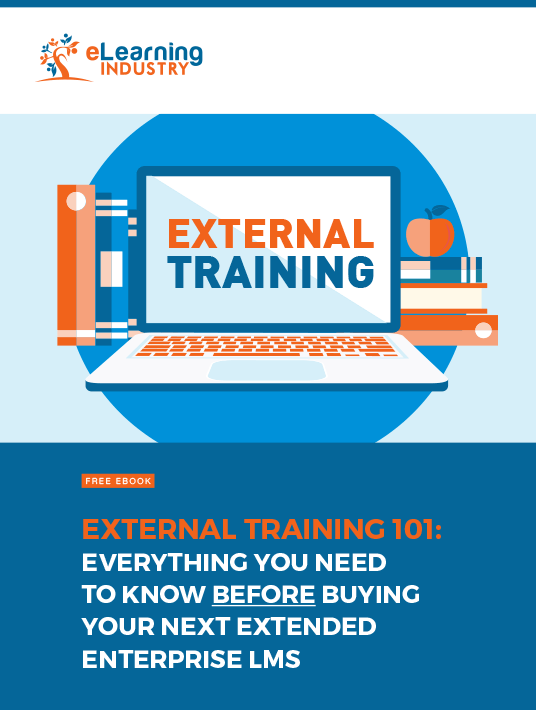
External Training 101: Everything You Need To Know BEFORE Buying Your Next Extended Enterprise LMS
The List Of Lists In Retrospect
All in all, we hope you have enjoyed this ride with us. Please let us know your thoughts about those who have made this list. All featured vendors continue to strive to be an industry leader in the eLearning field. While gathering information to make a list is valuable, it is also highly important for us to hear from our users.
Feel free to leave a review regarding the above-mentioned participants.